DS2438-based 1-Wire humidity sensor

·487 words·3 mins
Mariusz Białończyk
Author
Mariusz Białończyk

In this post I want to share with you how I did the humidity measurement in my bathroom. Because I already have 1-Wire buses all over my house measuring temperatures (DS18B20), sensing my switches (DS2413) and controlling relays (DS2408), so logical step was to measure the humidity also using the 1-Wire bus. I used the Google and found out that a solution was available: http://rants.dyer.com.hk/rpi/humidity_1w.html Allan, here I want to thank you for your helpful article and support :)

I also found similar projects using DS2438 here: http://www.phanderson.com/rh166/rh166.html http://archives.sensorsmag.com/articles/0501/34/main.shtml https://www.mrsoft.fi/humi.htm

As usual I examined all schematics, chosed the Allan’s one and customized it a bit:
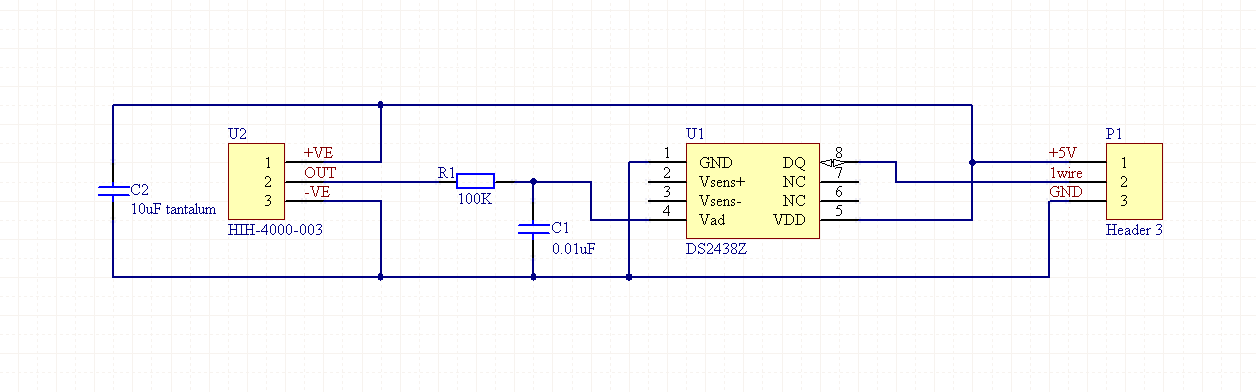
As you can see I decided to use a HIH-4000-003 instead of HIH-5030-001.

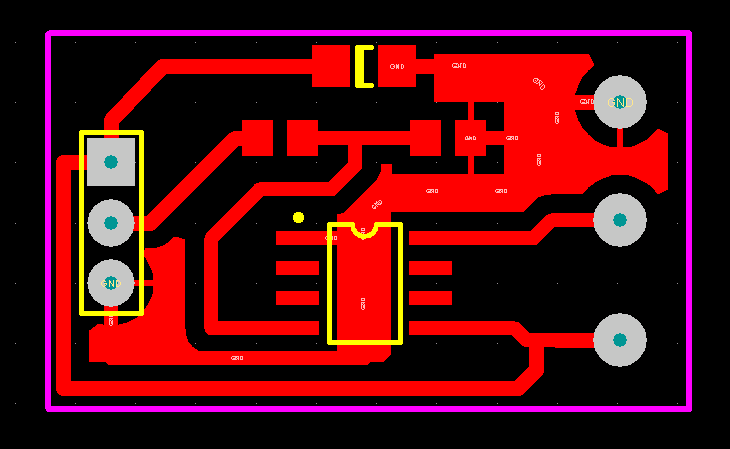
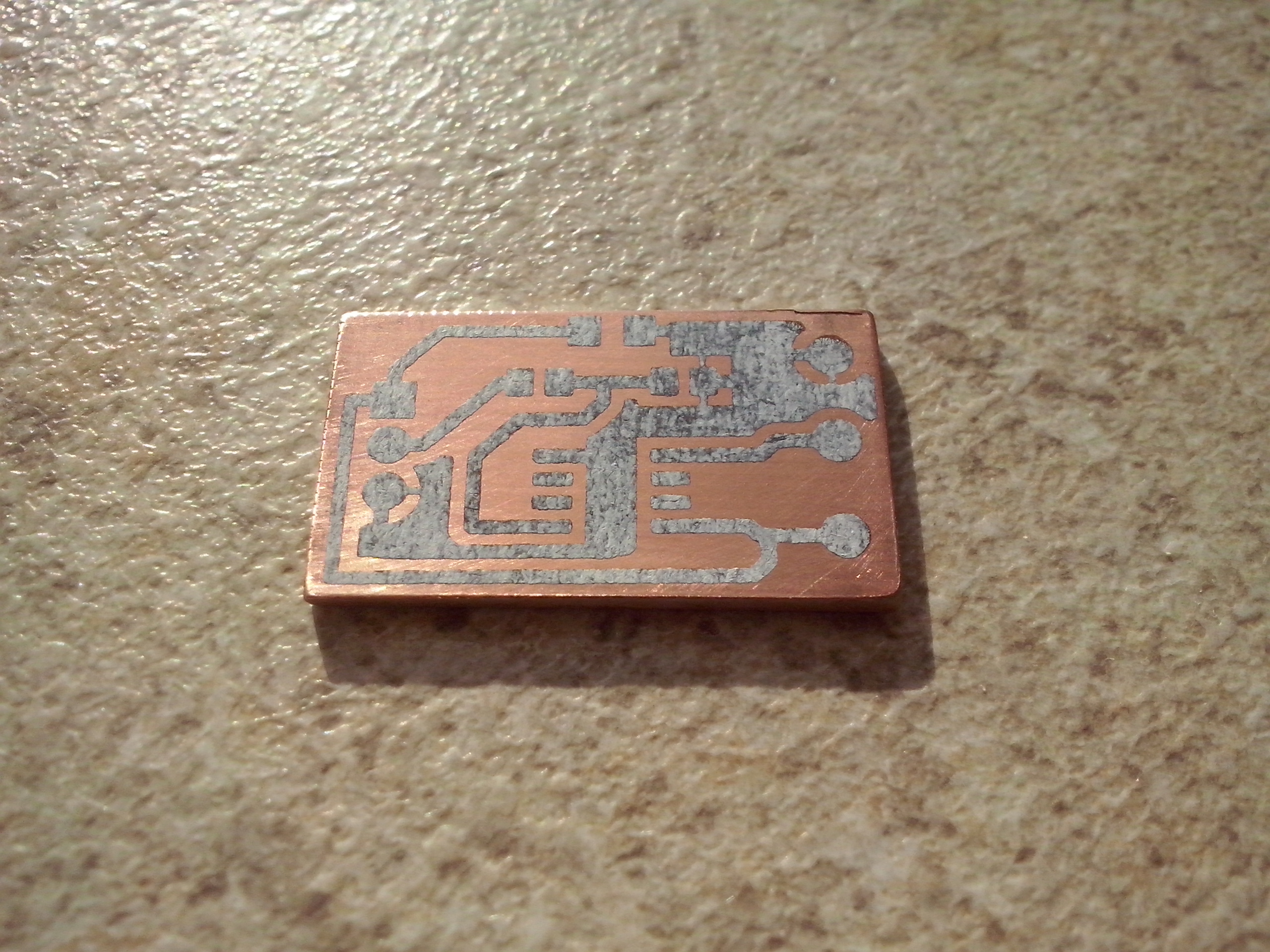
I designed a very simple PCB:

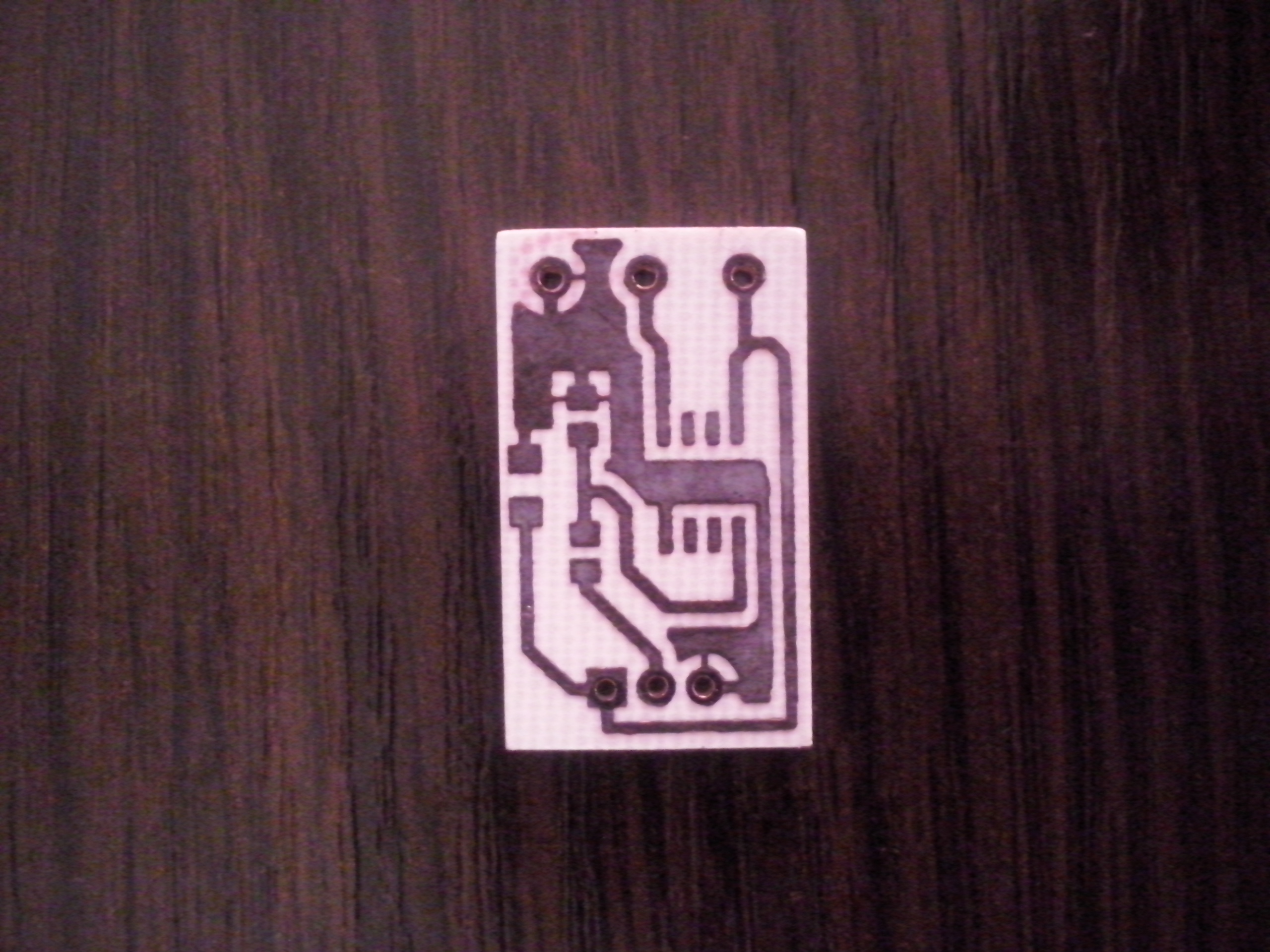
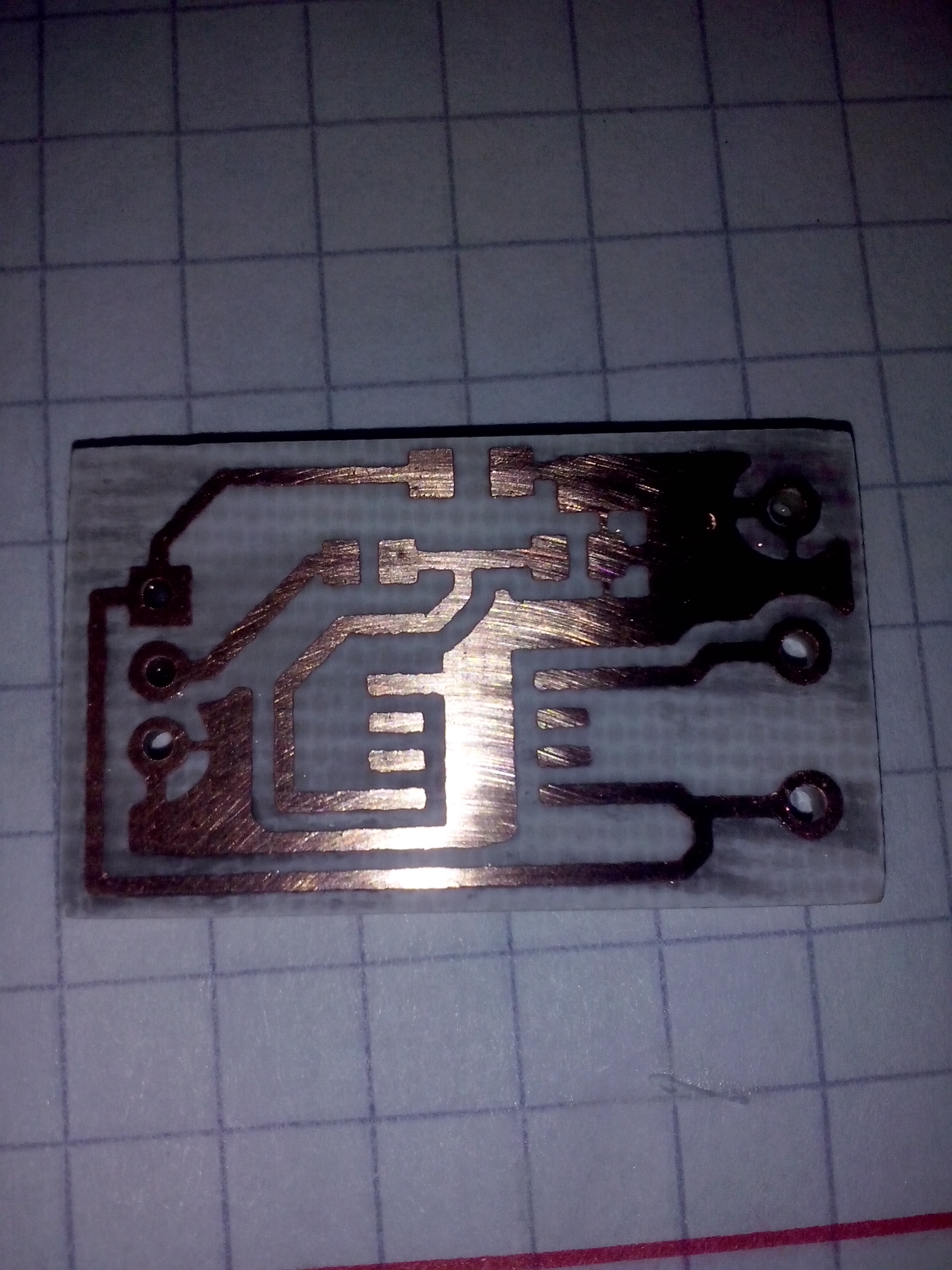
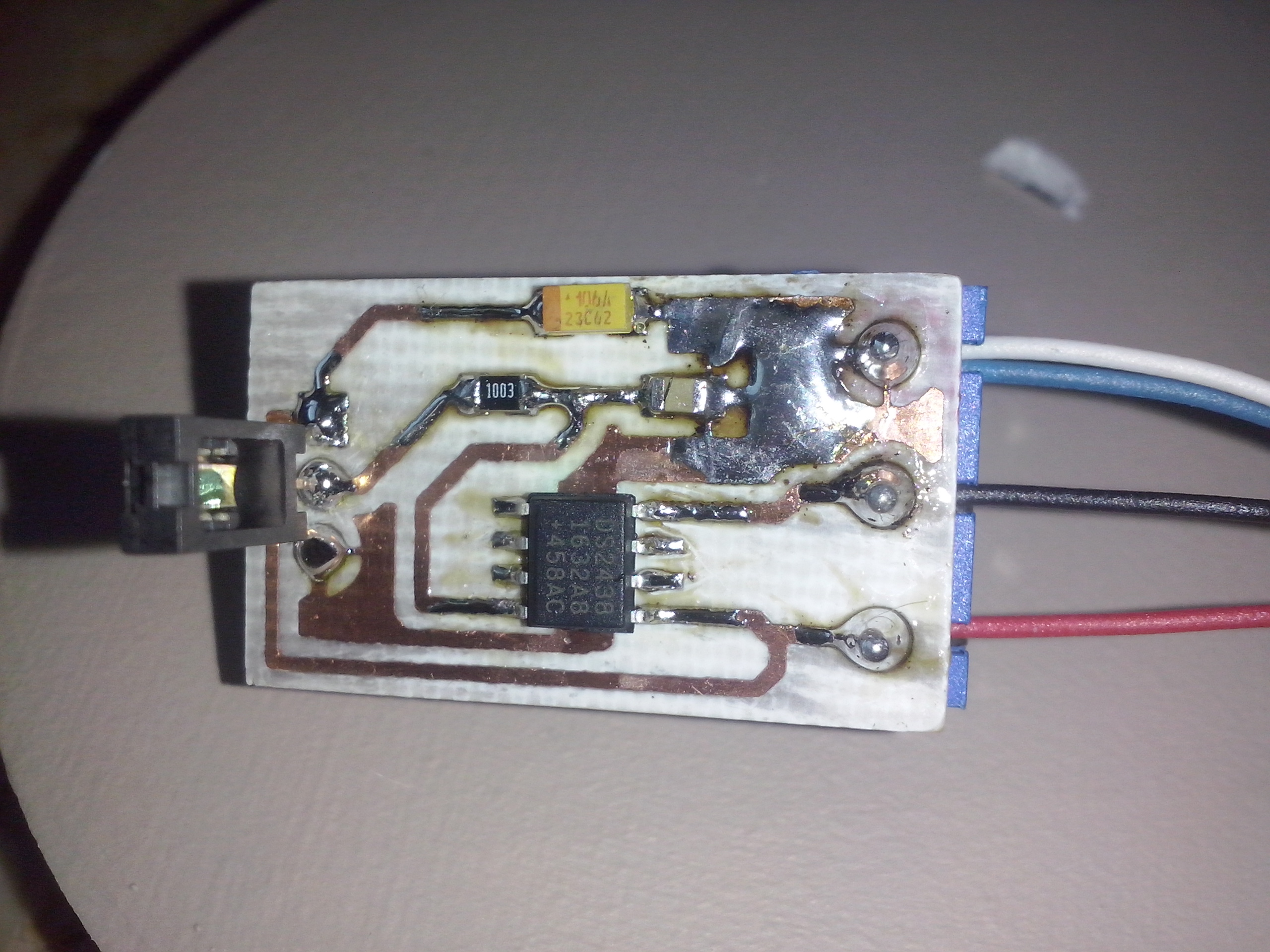
Using the toner transfer method I created and assembled the board:
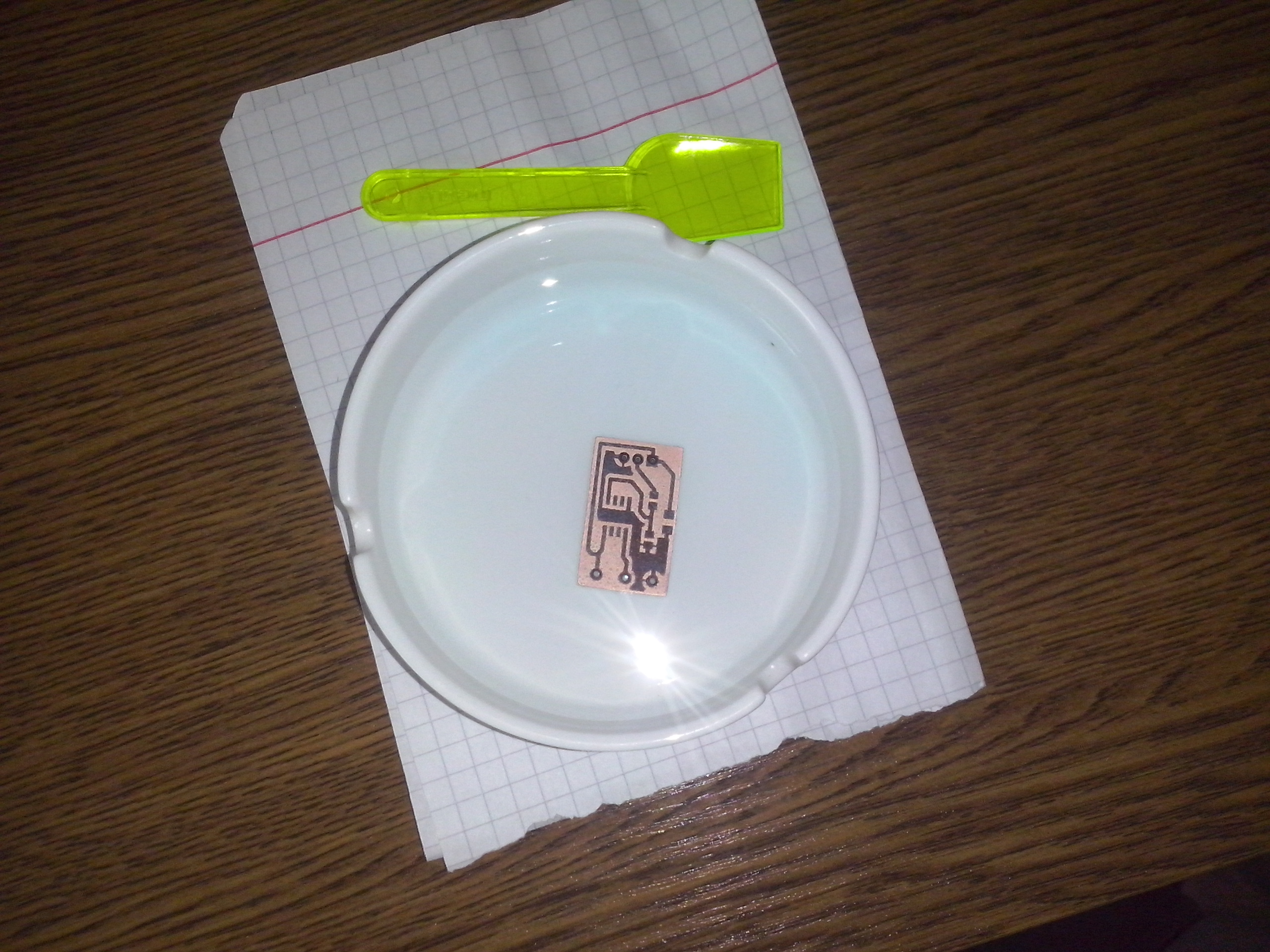
I connected all needed wires (GND, 1wire and +5V) and made first tests on my desk. I had to use OWFS (for the first time! ;) ), because there was no kernel module for DS2438 at that time. The DS2438 device was properly discovered on the bus, so I started to read a configuration register and measure some values. It was working correctly!

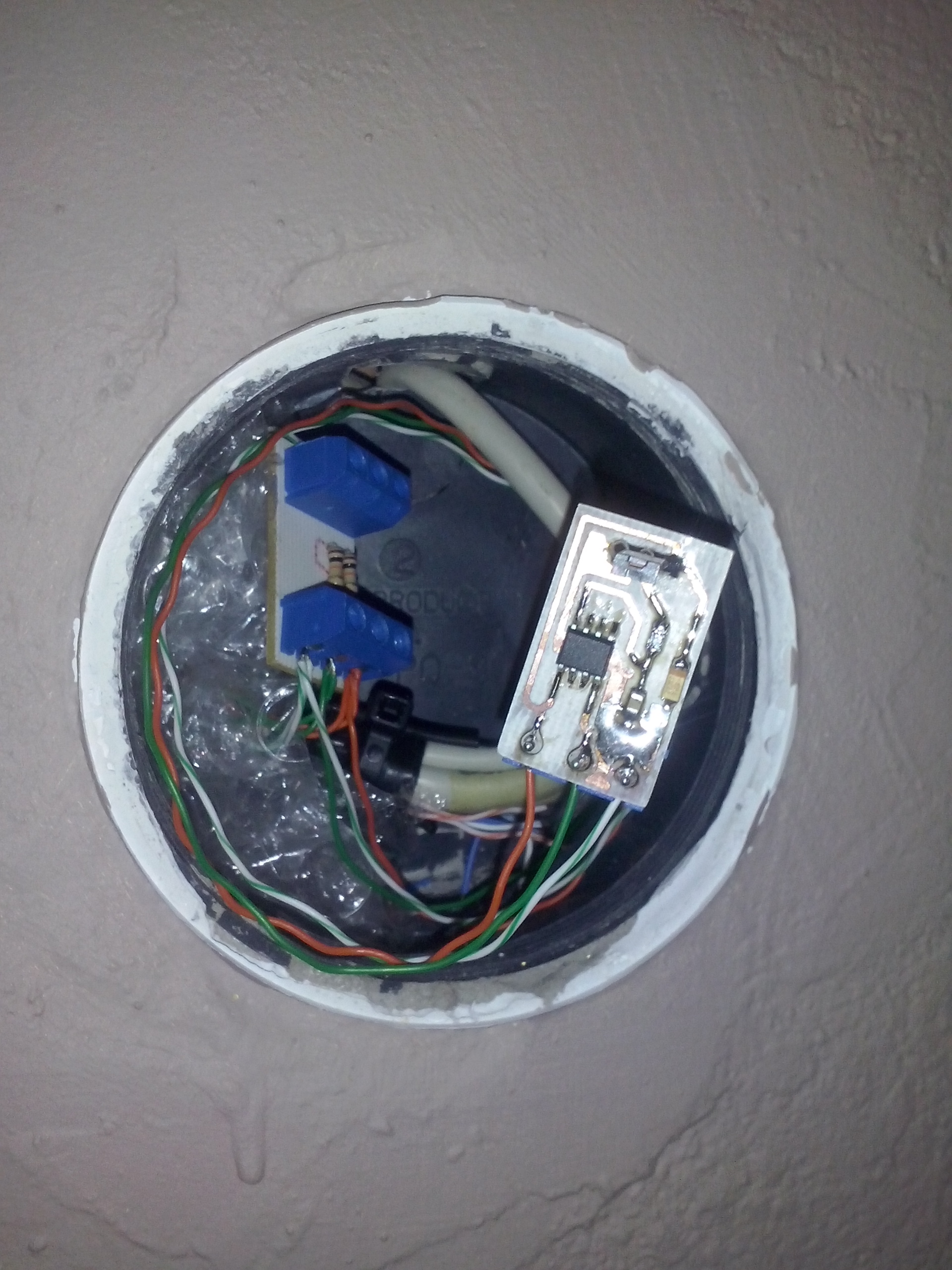
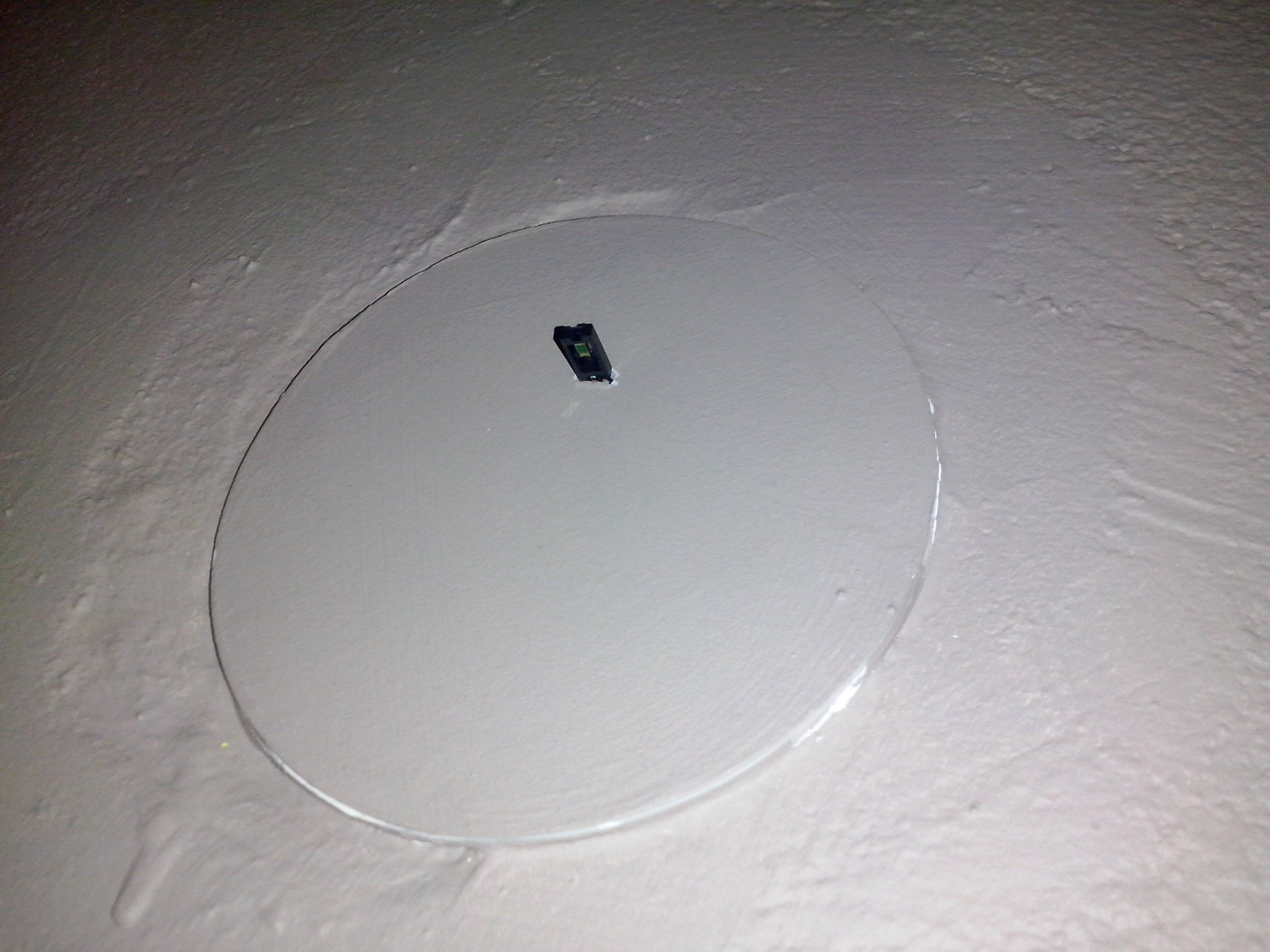
Finally I installed the sensor in the target location, in my bathroom:
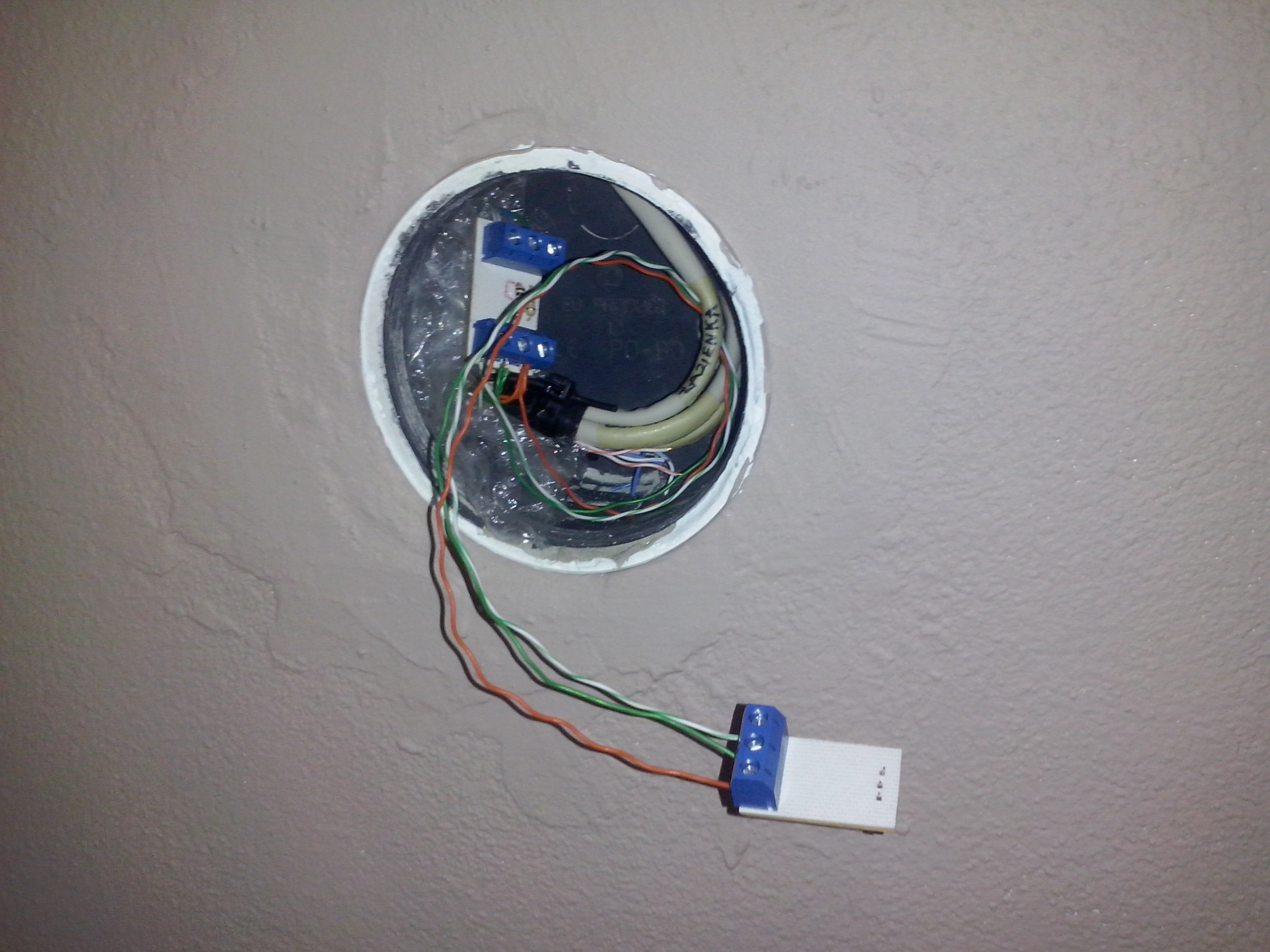
To be able to measure the real humidity in %RH, I have to obtain these values: - supply voltage (VDD) - A/D voltage from the HIH (VAD) - temperature (DS2438 has built-in temperature sensor) The formula is in the HIH-4000 series datasheet.

The last problem to solve was to obtain these values from DS2438 on my Raspberry Pi. I have customized Linux environment running on the Pi, so of course I will not run OWFS on it. Allan Dyer is sharing on his page a perl script which is doing the measurement using the generic rw sysfs file, but according to him, it is very slow (~26 seconds per single measurement). Obviously this was unacceptable in my application, so I just did what I was planning from the beginning: writing own kernel module for DS2438 :) At the time of writing this post, my patches are approved and waiting for next merge window to be upstreamed. If everything goes according to the plan, the module should be available in kernel 4.12.

One way or another, I am currently using this module on my Raspberry Pi. Measuring the voltages and temperature is as easy as reading the sysfs files. Then I am just calculating a real humidity value from the userspace:

I am also clearing the IAD configuration bit to 0 (once at system start), because I don’t need the DS2438 to measure current A/D data and shadow it to the EEPROM (it is doing this by default).

Now I am finally able to control the fan in my bathroom basing on the humidity value :) Watching the humidity in the Grafana is also nice thing to have:


  • Tom

    I was wondering if you are running the HIH-4000 at 3.3V ? The spec sheet states 4V minimum. ( calibrated at 5V @ 25C ) I have built the circuit and can say it does work, but I’m wondering if I should be running my 1-wire bus at 5V not 3.3…

    -T

    • manio
      Hi Tom, No, I am running the HIH-4000 at 5V (you can see that in the schematic I provided). Currently the DS2438 is telling me that it has 5.05V. The 3.3V is the 1-wire signal line (DQ) connected to the DS2438, and it is working OK in this configuration. In the same way (5V power supply, 3.3V DQ line) I am using DS18B20 thermometers.
  • Tom

    I see… so you run the sensors at 5V, but kept the DQ line at 3.3V .. I’m also using DS18B20 temp sensors. I will try powering them and the DS2438 with 5V and keeping the DQ line at 3.3V and see how that works. I’m using the GPIO pin on the Pi to read the 1-wire. I will just use a pull-up to 3.3V on the DQ line and power the sensors with 5V.

    Any chance I can get a copy of your DS2438 kernel module ? Perhaps I can build it for my kernel and use that instead of the script. The script takes far too long to read the sensor.. .

  • Tom

    I was able to pull the source for the Pi I had running ( 4.4.50 ) and merge your 1-wire changes into it. I built it and … pi@raspberrypi:~ $ sudo modprobe w1_ds2438 pi@raspberrypi:~ $ lsmod Module Size Used by w1_ds2438 3285 0 cfg80211 438846 0 rfkill 16728 1 cfg80211 evdev 11567 1 snd_bcm2835 20452 0 snd_pcm 77514 1 snd_bcm2835 snd_timer 19782 1 snd_pcm snd 53840 3 snd_bcm2835,snd_timer,snd_pcm bcm2835_gpiomem 3147 0 bcm2835_wdt 3434 0 w1_gpio 3008 0 wire 26063 2 w1_gpio,w1_ds2438 cn 4754 1 wire uio_pdrv_genirq 3202 0 uio 8416 1 uio_pdrv_genirq ipv6 352477 30

    I will give it a try this weekend. The sensor I built with the 2438 is at my office … Thanks for your help.

    • manio
      • Tom

        Thanks Manio,

        I read the document and have got the humidity sensor working just fine. I can read the temperature, vad and vdd files easliy. One issue is that I cannot write to the iad file. The file is rw-rw-rw , but if I try to echo 0 to it I get a response file too large response.

        pi@casamon:/sys/bus/w1/devices/26-00000125e278 $ echo 0 > iad -bash: echo: write error: File too large

        Tom

        • manio
          Tom, Try echo -n. From the manual: -n do not output the trailing newline Otherwise it is trying to write ‘0’ and 0x0a (new line) afterwards. You can check if it was successful by fetching the page0 and check that IAD bit is cleared (the bit and byte position is in datasheet).
          • Tom
            Ugh … why didn’t I think of that… Yes that worked.
  • Roy
    Manio, is there any guide of how to build this for the current 4.9 kernel of raspbian?
  • Georg

    Hi, Question: should this kernel module also work for HIH poping up as A6_ ??? i see the device if is connect it to the one-wire DS2482-800 and can load the w1_DS2438 but the device is not recognized

    lrwxrwxrwx 1 root root 0 Dec 10 22:04 28-0316b52a16ff -> ../../../../devices/w1_bus_master5/28-0316b52a16ff lrwxrwxrwx 1 root root 0 Dec 10 22:04 28-0316b52a8fff -> ../../../../devices/w1_bus_master5/28-0316b52a8fff lrwxrwxrwx 1 root root 0 Dec 10 22:04 28-0416c1081aff -> ../../../../devices/w1_bus_master4/28-0416c1081aff lrwxrwxrwx 1 root root 0 Dec 10 22:04 28-0416c13bb0ff -> ../../../../devices/w1_bus_master4/28-0416c13bb0ff lrwxrwxrwx 1 root root 0 Dec 10 22:04 28-0416c1dc07ff -> ../../../../devices/w1_bus_master5/28-0416c1dc07ff lrwxrwxrwx 1 root root 0 Dec 10 22:04 28-0416c1ef86ff -> ../../../../devices/w1_bus_master5/28-0416c1ef86ff lrwxrwxrwx 1 root root 0 Dec 10 22:04 28-0516b45885ff -> ../../../../devices/w1_bus_master4/28-0516b45885ff lrwxrwxrwx 1 root root 0 Dec 10 22:04 28-0516b4d1f6ff -> ../../../../devices/w1_bus_master4/28-0516b4d1f6ff lrwxrwxrwx 1 root root 0 Dec 10 22:04 28-0516c0273bff -> ../../../../devices/w1_bus_master4/28-0516c0273bff lrwxrwxrwx 1 root root 0 Dec 10 22:04 a6-500000871a51 -> ../../../../devices/w1_bus_master5/a6-500000871a51

    191.513509] i2c i2c-1: new_device: Instantiated device ds2482 at 0x1c [ 192.895863] w1_master_driver w1_bus_master5: Family a6 for a6.500000871a51.aa is not registered. [

    • manio

      Hi Georg, First of all it is not the HIH which is popping, but the DS2438 chip. I quickly found two articles about similar problem as yours: https://www.mikrocontroller.net/topic/408168 https://www.mikrocontroller.net/topic/186190

      You probably bought the china clone, not the original DS2438 chip - so this is the reason why it is showing as 0xA6 family, not the official 0x26. If it is compatible with DS2438 then the simple method is compile your own module with changed family code (for your own use).

  • Chris
    Hello manio, your wrote “is as easy as reading the sysfs files. Then I am just calculating a real humidity value from the userspace.” –> can you please share your knowlage with us and provide an tutorial / source code. Thank you BR .:Chris:.
    • manio
      Chris, post updated :)
      • .:Chris:.

        Hello manio, your script was not returning a result. Therefore I added some lines and found out that the program quits in line

        fp = fopen("/sys/bus/w1/devices/26-0000018d4fla/temperature", “r”); if (!fp) printf(“fail to open temperature\n”);

        lsmod shows “w1_ds2438”

        any idea?

        • manio
          try this: cat /sys/bus/w1/devices/26-0000018d4fla/temperature is it working?
          • .:Chris:.

            Hi, no, it’s not working:

            cat: /sys/bus/w1/devices/26-0000018d4fla/temperature: Datei oder Verzeichnis nicht gefunden

            Any idea?

            • manio
              Hardware problem? If you don’t have this file then the slave device on your 1wire bus is not working. Are you sure you have a main module for your 1wire loaded? Do you have other slaves visible, like eg DS18B20? Loaded ds2438 module only add a support for the device family, but if your 1wire bus can’t see the device it would not help.
  • Alex
    Hi, thanks for that useful post. I had a question. Is it possible to use DS2438 as an ambient temperature sensor (as it has integrated temp sensor), so that one coud have temp & humidity sensor in one? Thanks in advance
    • manio
      Of course - when you measure humidity you need to obtain the temperature - so you have all information with single run, look at the above sample code… :)
  • Slawek

    Hi Manio,

    is your driver included in last raspbian? I would like to use it in my project.

    • manio
      Yes, it is :)